


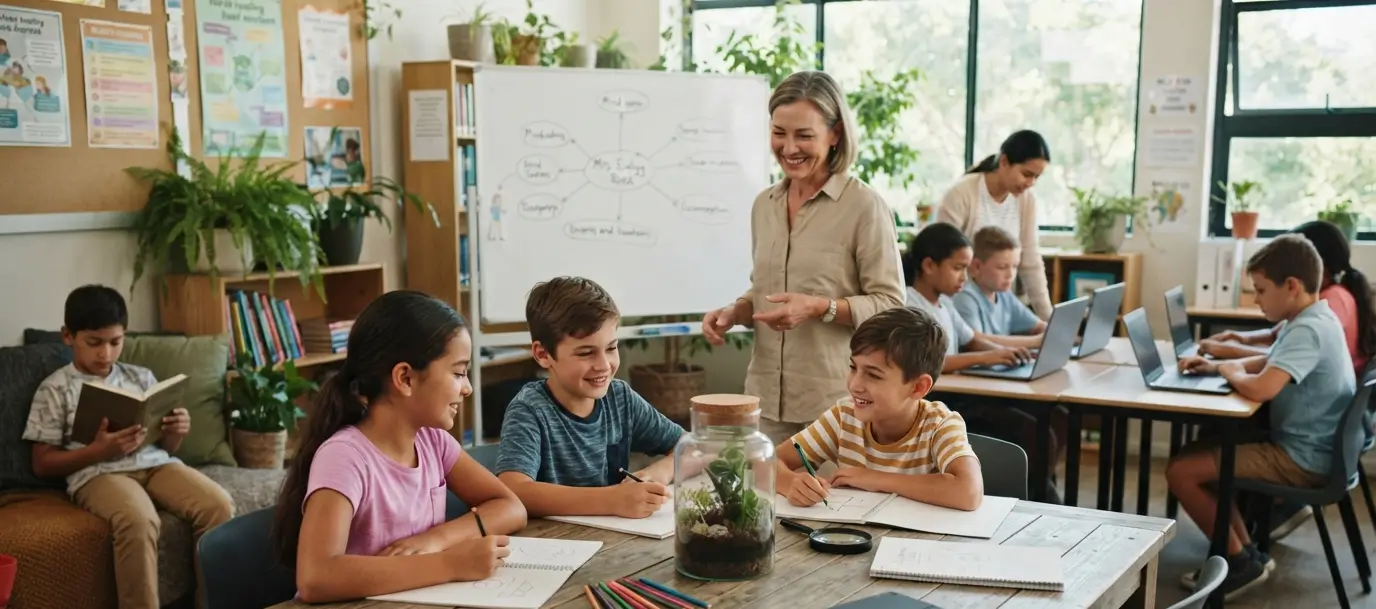
Technology has become a normal part of school life in the United States. Students use laptops, tablets, learning apps, online assignments, digital textbooks, and artificial intelligence tools almost every day in the classroom. These tools can make learning easier in many situations. A student can watch a science demonstration, research a topic, practice math problems, or get feedback on writing within minutes.
But more technology does not always mean more learning. When students spend too much time looking at screens, teachers may lose opportunities for face-to-face discussions, handwriting, group work, reading printed material, and other activities that require students to think without digital help.
Why Are Schools Rethinking Classroom Technology?
Schools have invested heavily in laptops, tablets, learning platforms, and other digital tools. At the same time, some educators and school districts are reconsidering how often students should use those devices. Recent reporting shows that some U.S. districts are creating new limits around classroom screen use.
The issue does not mean that technology has no place in education. The real question is how teachers use it. The U.S. Department of Education’s August 2026 guidance encourages schools to focus on instructional value rather than simply putting technology in front of students. It recommends asking what learning problem a tool solves, when students should use it, who should use it, how long they should use it, and what evidence shows that it improves learning.
Technology Is a Tool, Not the Teacher
A laptop can give students access to information. It cannot replace a teacher who understands what a student is struggling with. For example, imagine a student learning how to write an argument. A digital tool might suggest changes to grammar or organization.
That can help after the student has developed an idea. But if the tool writes the argument for the student, the student may finish the assignment without practicing the thinking the assignment was supposed to develop. The same idea applies to many subjects. Technology should support learning rather than remove the work that creates learning.
When Does EdTech Help Students?
Educational technology can provide real benefits when teachers use it for a clear purpose. A science teacher might use a simulation to demonstrate something that students cannot easily observe in the classroom. A student with a disability may use technology that improves access to classroom materials. A teacher may use an online quiz to help students review material after completing a lesson.
The Department of Education’s current guidance also recognizes that instructional technology can expand access and support students with disabilities when schools use it appropriately. The important point is that the tool should solve a specific learning problem. If students can achieve the same learning goal more effectively through a conversation, printed reading, experiment, or hands-on activity, a screen may not be necessary.
When Can Technology Get in the Way?
Technology can become a problem when it replaces important learning activities. A student who immediately searches for an answer may skip the process of figuring it out. A student who asks an AI tool to write an essay may skip planning, writing, editing, and developing an argument. A classroom where every activity happens on a laptop may also leave less room for students to talk with one another.
Start the Lesson Without a Screen
One practical way to reduce technology use is simple: do not start every lesson by opening a device. Ask students to discuss a problem with a partner. Give them a printed article to read. Put a question on the board and ask them to write their first thoughts.
These activities can create a foundation before technology enters the lesson. For example, an English teacher might give students a short printed passage and ask them to underline important ideas. Students can then discuss their observations in small groups before using a digital tool to organize or review their thoughts. The technology becomes an additional resource rather than the starting point.
Use Technology After Students Understand the Basics
This is one of the most useful ideas for teachers who want to reduce unnecessary screen time. Teach the basic concept first. Then use technology for practice, review, feedback, or exploration.
For example, a history teacher could first teach students about a historical event through reading and discussion. After students understand the basic facts, an online quiz could help them review. This approach gives students something important: knowledge they can use to judge whether a digital answer makes sense.
Bring Back Face-to-Face Discussion
Students need opportunities to speak and listen to other people. Teachers can create screen-free periods during class for group discussions, debates, presentations, peer feedback, and collaborative problem-solving.
Consider a simple classroom routine. Students first work individually. They then close their laptops and discuss their answers in groups. Finally, the teacher brings the class together for a discussion. The entire lesson does not need to happen on a screen.
Use Paper When Paper Works Better
There is nothing wrong with giving students a printed worksheet or article. Writing by hand can also create a different kind of learning experience from typing on a computer. A teacher can print a short reading and ask students to mark important points, write questions in the margins, or summarize the passage in their own words.
A gallery walk can provide another option. Teachers can place sources, questions, charts, or student work around the classroom and have students move around to examine and discuss them.
Set Clear Rules for Laptops and Tablets
Students should know when devices are useful and when they should be put away. Teachers can create simple routines such as:
- Device open: Students are completing a specific digital activity.
- Device closed: Students are discussing, reading, writing, or working with classmates.
- Device away: Students are participating in a hands-on activity, presentation, test, or class discussion.
Clear routines reduce confusion. They also make it easier for teachers to notice when technology has stopped supporting the lesson.
Be Careful With AI in the Classroom
Artificial intelligence has added a new challenge to classroom technology. AI can help students brainstorm, receive feedback, practice questions, or explore a topic. But it can also produce answers before students have thought for themselves. Teachers should therefore decide what role AI will play in a particular assignment. For example, a teacher might allow AI to provide feedback on a completed draft but not allow it to write the first draft.
If the goal of an assignment is to teach students how to create an argument, the student needs to create the argument. If the goal is to help students improve a completed piece of writing, feedback technology may have a useful role. The U.S. Department of Education’s current guidance says schools should evaluate technology based on instructional value, evidence, implementation, transparency, and student outcomes.
Create a Balanced Classroom Routine
A balanced classroom does not need to be either completely digital or completely paper-based. A teacher could structure a 50-minute lesson like this:
| Lesson Stage | Possible Approach |
| Opening | Question or short discussion |
| Teaching | Teacher explanation and printed resources |
| Practice | Individual or group work |
| Technology | Digital practice or research |
| Closing | Discussion or handwritten reflection |
The exact structure will depend on the subject, grade level, students, and learning goal. The important part is that technology has a reason for being there.
How Parents Can Help at Home
Parents can also help children develop a healthier relationship with educational technology. Ask your child what they are learning instead of only asking whether their homework is finished. Try to read real books, write with a pen and paper, talk with your family, play outside, and enjoy hobbies that do not use screens. If your child uses AI or another digital tool for schoolwork, ask them to explain the answer in their own words. That simple question can reveal whether they understand the material or simply copied an answer.
What Schools Should Ask Before Buying New EdTech
Schools do not need to purchase every new education app or platform. Before adopting a product, school leaders can ask:
1. What problem does this tool solve?
If teachers cannot clearly explain the learning problem, the school may not need the tool.
2. Does it improve learning?
A product can look impressive without producing meaningful learning gains. Schools should look for evidence and review whether the technology actually helps students.
3. How much screen time does it add?
A useful tool may still become unhelpful if students already spend most of the school day on devices.
4. Can teachers use it effectively?
Teachers need training, time, and clear expectations. The Department of Education’s 2026 guidance also emphasizes educator training and reviewing whether technology actually works as intended.
5. Does it protect student information?
Schools should understand how a technology provider handles student data and what information the platform collects.
The Goal Is Better Learning, Not Less Technology
The debate about classroom technology can easily become an argument between two extremes. One side may want students to use technology everywhere. The other may want schools to remove it completely. A more useful approach asks what students need to learn and then chooses the best method for that goal.
Sometimes the answer will be a laptop. Sometimes it will be a book. Sometimes it will be a science experiment, a classroom debate, a handwritten response, or a conversation between students. Technology should not automatically win simply because it is newer.
Conclusion
Educational technology can be useful, but teachers do not need to use it for every lesson or every assignment. The better approach is to start with the learning goal. If students need to understand a new idea, teach it clearly. If they need to practice communication, let them talk. If they need to develop writing skills, let them write. If they need hands-on experience, give them something to work with.
Then ask whether technology can improve that experience. The current direction of U.S. education policy also points toward more intentional technology use, with the Department of Education encouraging schools to focus on learning outcomes, evidence, educator judgment, student data protection, and appropriate screen time. The goal is not to make classrooms technology-free. The goal is to make technology serve learning instead of allowing learning to serve technology.
