


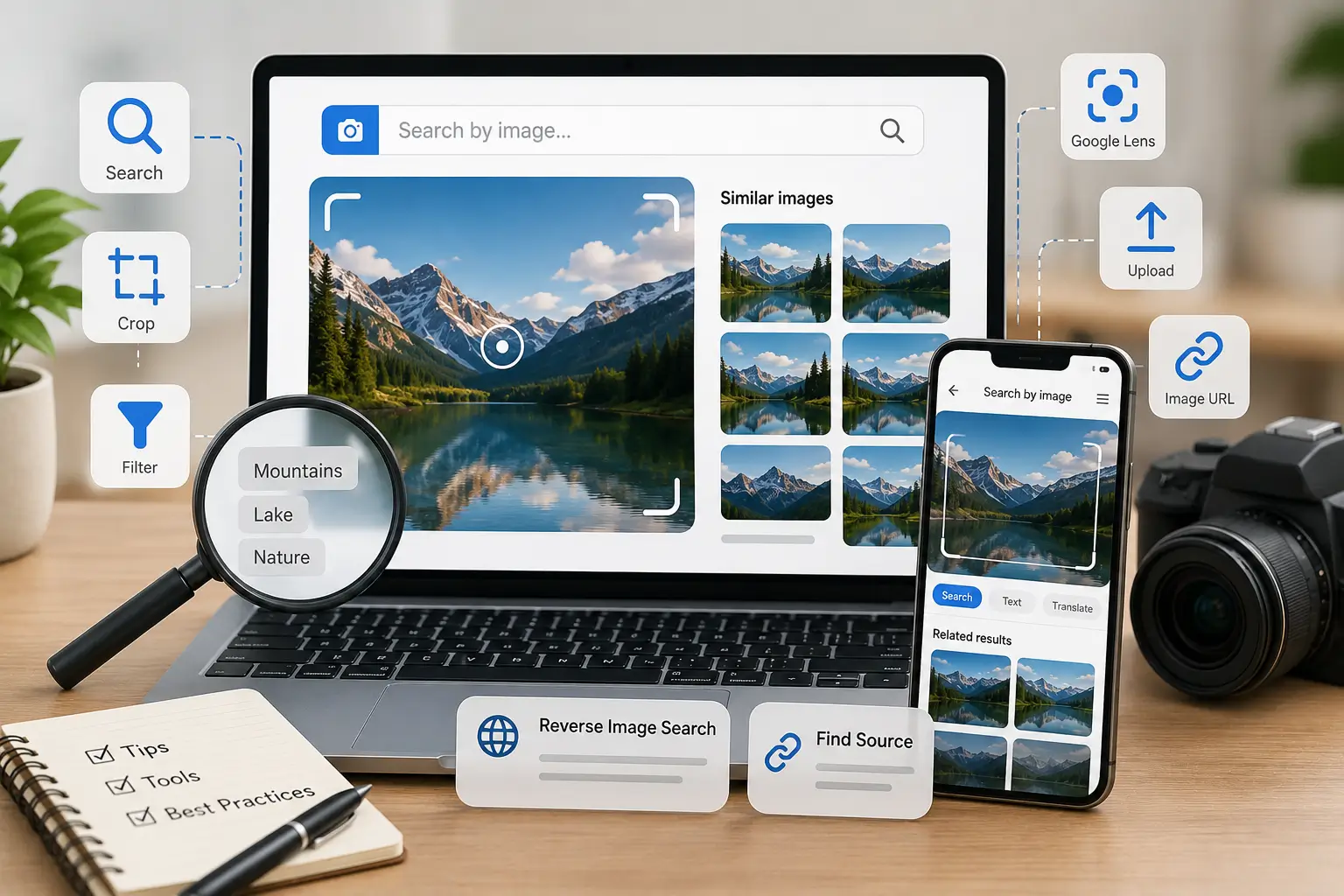
Have you ever seen a photo online and wished to know where it came from? Perhaps you found a fuzzy photo you needed in better resolution for a project, or you saw a nice garment on social media that you wanted to purchase. It used to be difficult to find specific photographs, but with today’s image search engines, it’s quick and simple.
People use search engines to look for information every day. Most people type words into a box and read through text results. However, modern image search tools allow you to use pictures to find information. In this article, you will learn how searching with images saves time, helps you verify sources, and uncovers visual content you might never find through simple text searches.
Why Learning Image Search Matters Today
The internet contains billions of pictures, and it is very difficult to find exactly what you need by typing basic words. When you type the keyword “blue mug,” a search engine shows millions of different blue mugs in the image search results. But when you share more information about the keyword, like a specific style, brand, or shade. You can get better results.
If you use dedicated visual tools, they can help you bypass vague text results. You can upload a picture you already have, and the tool will scan the search engine for matching photos. This technique assists you in determining whether an image is authentic, identifying the original photographer, or locating an internet retailer that offers the item in the photo.
Simple Image Search Techniques Everyone Should Know
Mastering a few basic methods can completely change how you image search online. You do not need technical skills to use these methods; you just need to know which features to use.
1. Reverse Image Search
One easy method to learn more about an image is to use reverse image search. Instead of typing words, you give the search engine an image file or an image link.
- Upload a File: Save the picture to your phone or computer, then upload it directly into the search bar. The tool analyzes the shapes, colors, and patterns to find matching images across the web.
- Paste an Image URL: If you see a photo on a website, copy its direct web address and paste it into the search tool. This method saves space on your device because you do not need to download the file first.
- Drag and Drop: On desktop computers, you can simply drag an image from your computer files and drop it into the search bar. This gives you instant results without needing to click through extra menus.
2. Refining Your Results with Filters
You may easily reduce the number of results by using the basic filters that search engines offer. Once you’ve done your image search, check the settings menu to filter photographs by size, color, type, or date.
- Filter by Size: If you need a clear picture for a background or print project, filter your image search to show only large or high-resolution images. This step prevents blurry or pixelated results.
- Filter by Color: If you are working on a design project with a specific color scheme, choose a color filter. The search engine will display photos where that specific color dominates the picture.
- Filter by License Type: If you plan to use a photo on your personal blog or business website, use the license filter to find free-to-use pictures. This habit protects you from copyright issues.
Best Free Tools for Searching with Images
You do not need to purchase expensive software to run a visual search. Popular free platforms offer powerful visual detection tools right inside your browser or mobile app.
1. Google Images and Google Lens
Google Images is the go-to tool for searching with pictures. You can click the camera icon in the search bar to upload any photo. If you are on a phone, Google Lens allows you to search by pointing your camera at real-world objects. It can quickly find matching products, read and translate text on signs, and identify plants and animals.
2. Bing Visual Search
When you want to focus on a particular area of a picture, Microsoft’s Bing visual search tool provides remarkable accuracy. Bing lets you crop the frame straight onto the lamp or the rug if your photo depicts the entire living area. Then, rather than searching the entire room, the search tool only looks for matches for that one item.
3. TinEye
TinEye is a reverse image tool that locates the original source of a picture. It only locates exact matches or altered variations of that particular image, rather than displaying similar images. It is used by designers and creators to identify copyright violations or locate the original source of an image.
Practical Applications for Everyday Life
Some common situations where image search saves time and effort.
- Online Shopping: Take a picture of an outfit you like, a piece of furniture, or a pair of shoes. Online retailers offering the same product or comparable, reasonably priced substitutes can be found with a fast visual search.
- Fact-Checking News: Fake news often relies on old photos paired with false stories. Uploading a questionable news image into a search engine helps you see when and where that photo was originally published.
- Identifying Unknown Objects: If you spot an unusual bug in your garden, a unique landmark on vacation, or a flower without a label, snap a picture. Visual search engines quickly provide the name and details of the object.
- Finding Better Quality Images: If you have a low-resolution thumbnail of a photo, a reverse search helps you locate the original high-resolution version for your projects.
Best Practices for Successful Image Searches
To get the most accurate results from your image searches, keep these simple practices in mind:
1. Crop Out Unnecessary Details
Before searching, crop your snapshot to focus solely on the main object if it contains multiple objects. Additional background information may confuse the search engine and produce inaccurate results.
2. Combine Text with Pictures
You can add text words to your image search using a lot of contemporary techniques. For instance, you can use terms like “green” or “cotton” to direct the search engine toward precise matches when you upload a picture of a frock.
3. Check Image Permissions
Always check an image’s copyright before using it. Just because a photo shows up in your search results doesn’t mean it’s free to use—the creator still owns it unless they’ve clearly marked it as free.
Conclusion
Gaining proficiency in basic image search methods transforms your online browsing experience. You can let your photos speak for themselves rather than trying to explain something with words.
Finding high-quality photos in a matter of seconds, tracking down products, and verifying news articles are all made simple by using free apps like Google Lens, Bing Visual Search, and TinEye. Try these easy visual search techniques now to improve the speed, intelligence, and accuracy of your internet browsing.
1 Comment
Pingback: AI Tools Replacing Jobs in 2026: Which Jobs Are at Risk?